 Tools
Reconnect
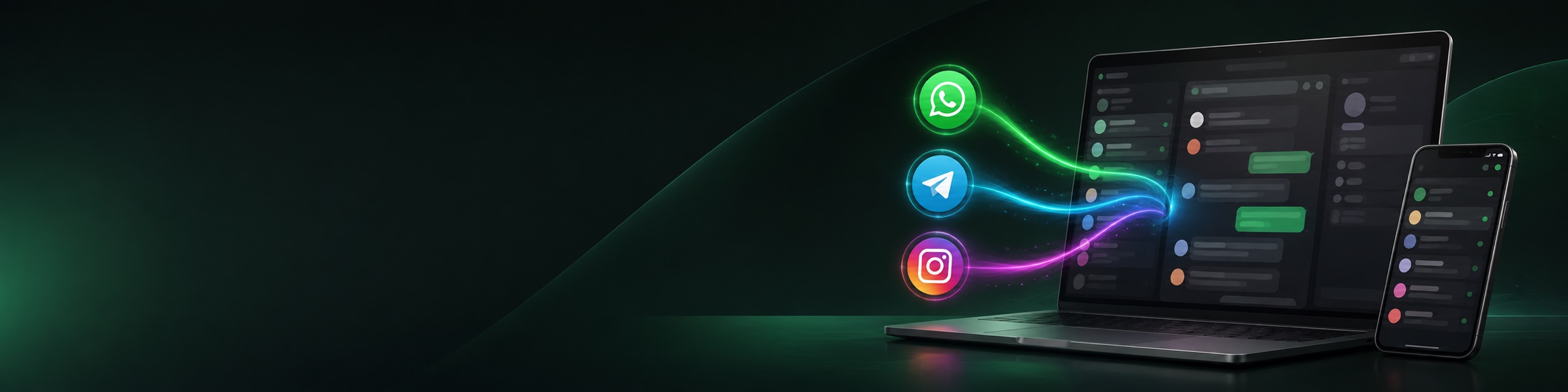
WhatsApp, Telegram and other messengers inside the CRM: chat, history on the card, contact and deal sync.
- Call · yesterday
- Deal “Equipment supply” · Negotiation
- WhatsApp · new message
- WhatsApp · manager’s reply
The team lead sees all chats, a manager sees their own. The history stays in the CRM even if an employee leaves.
Reconnect ties messenger chats to client cards. Messages from WhatsApp, WhatsApp Business API, Telegram and Instagram land in a single window inside the CRM, while the conversation history stays on the contact card and the deal. Your Reconnect account is your own: you connect channels in their dashboard, and the CRM pulls the chats via an API key. We don't resell anything and we can't see your chats outside your own account.
Client conversations live on managers' phones. The supervisor can't see what was agreed; when an employee leaves, the history goes with them; a client who wrote on WhatsApp in the evening gets lost among personal chats. The CRM, meanwhile, is empty — it holds calls and notes, while the deal was actually settled in a messenger.
Every chat in the CRM, right beside the deal. The supervisor opens any conversation, a manager sees their own. A new hire reads the client's history from the first message instead of asking around. Unanswered chats are shown as a list, not kept in your head.
What you get
- One inbox for every channel: WhatsApp, WhatsApp Business API, Telegram, Instagram
- Messages land in the contact card timeline and stay there for good
- The chat opens right on the client card and the deal — no need to hunt for it
- Contacts from the CRM flow into Reconnect: the client shows up by name, not a number
- Roles from the Reconnect dashboard: «Supervisor» sees all chats, «Manager» only their own
- Unanswered conversations get a separate counter, so you don't check by hand
How to connect
- 1Create a Reconnect account and connect channelsChannels are connected on their side: WhatsApp by scanning a QR code with your phone, WABA and Telegram per Reconnect's instructions. You need your own account: the CRM works with your channels, not shared ones.
- 2Copy the API keyReconnect dashboard → Settings → API. The key opens access only to your channels and your chats.
- 3Paste the key into this appConnected channels are pulled in on their own, a «Reconnect» item with a chat window appears in the menu, and new messages start landing on contact cards.
- 4Assign employee roles in the Reconnect dashboardReconnect dashboard → CRM integration → Choose roles. «Supervisor» sees all chats, «Manager» only their own. Without roles, managers won't see others' chats — the most common cause of the «chat not visible» complaint.
 Tools
 AI Call analyticsManager call dashboard: ranking, calls, talk minutes, clients and answered % — with a period filter and sorting by any metric.Free — there's no separate charge for the app.
 Tools
 QR PlatformDynamic QR codes: one link — change the target without reprinting, with scan stats.Connecting is free; creating codes requires a paid plan: 5,000 codes, 15,000 codes per month or unlimited. Payment is monthly and is charged to the account balance. Deleting a code doesn't give it back to the limit. Without a plan you can't create new codes, but already-created ones keep working.
 Tools
 emyMeetVideo meetings with clients and colleagues straight from the CRM: the «Conference» button on a customer card sets up the meeting and copies the link for the client. A guest joins by link without installing anything and without an account. The manager runs the meeting as moderator and ends it with one button.Free — there's no separate charge for the app. Transcription and summary work for recordings up to about 55 minutes; for a longer meeting only the audio stays in the feed.